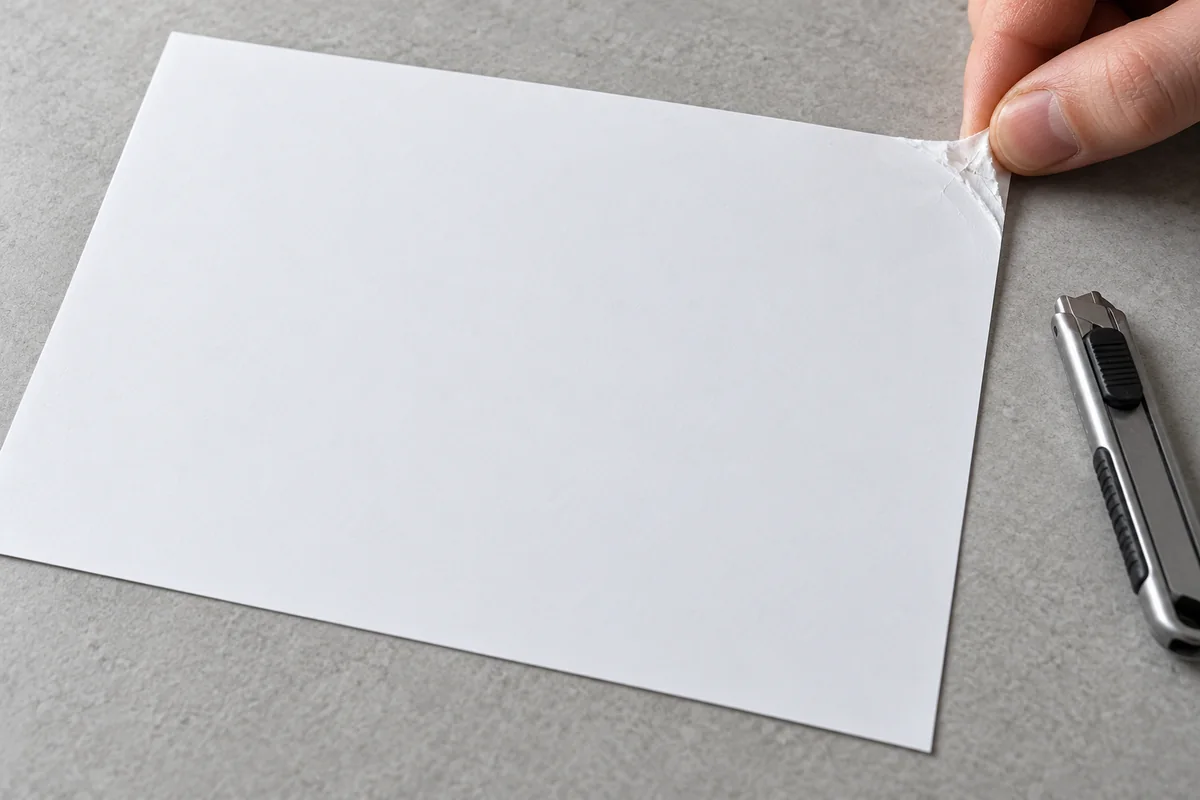
It is a question that often comes up when an order arrives, especially with labels on sheets: how do you get the label off the paper? If the sheet is not properly prepared, you have to look for the edge with a fingernail or a cutter, and the label bends, gets marked or loses adhesive. Properly prepared, you lift a corner with your finger and the label comes off whole. The die makes the difference.
What a self-adhesive label is made of
Every self-adhesive label has three layers. On top, the face material: paper, polypropylene, polyester or another film, which is the side that gets printed. Underneath, the adhesive. And finally, the silicone-coated backing, also called the liner: a paper or film with a thin layer of silicone on the side that touches the adhesive.
The silicone is what allows the label to peel off. The adhesive cannot bond to it completely, so the label stays in place during transport and printing, but comes off cleanly, with all its adhesive, when it is applied. The backing is not applied: it is discarded.
What the die cuts
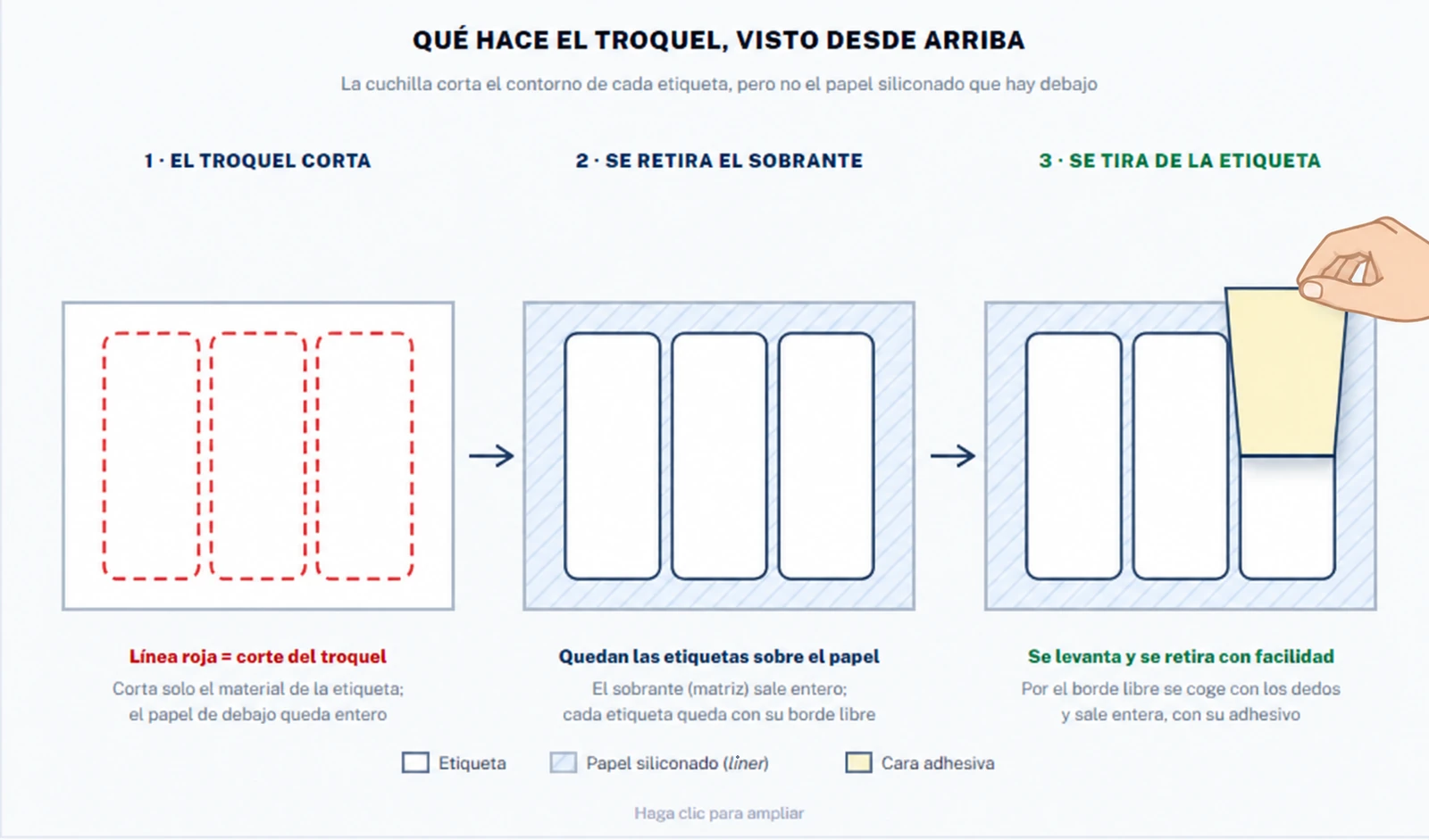
The die is the tool that gives the label its shape. In standard die-cutting, the kiss cut, the blade goes through the face material and the adhesive and stops right at the silicone. The backing stays intact.
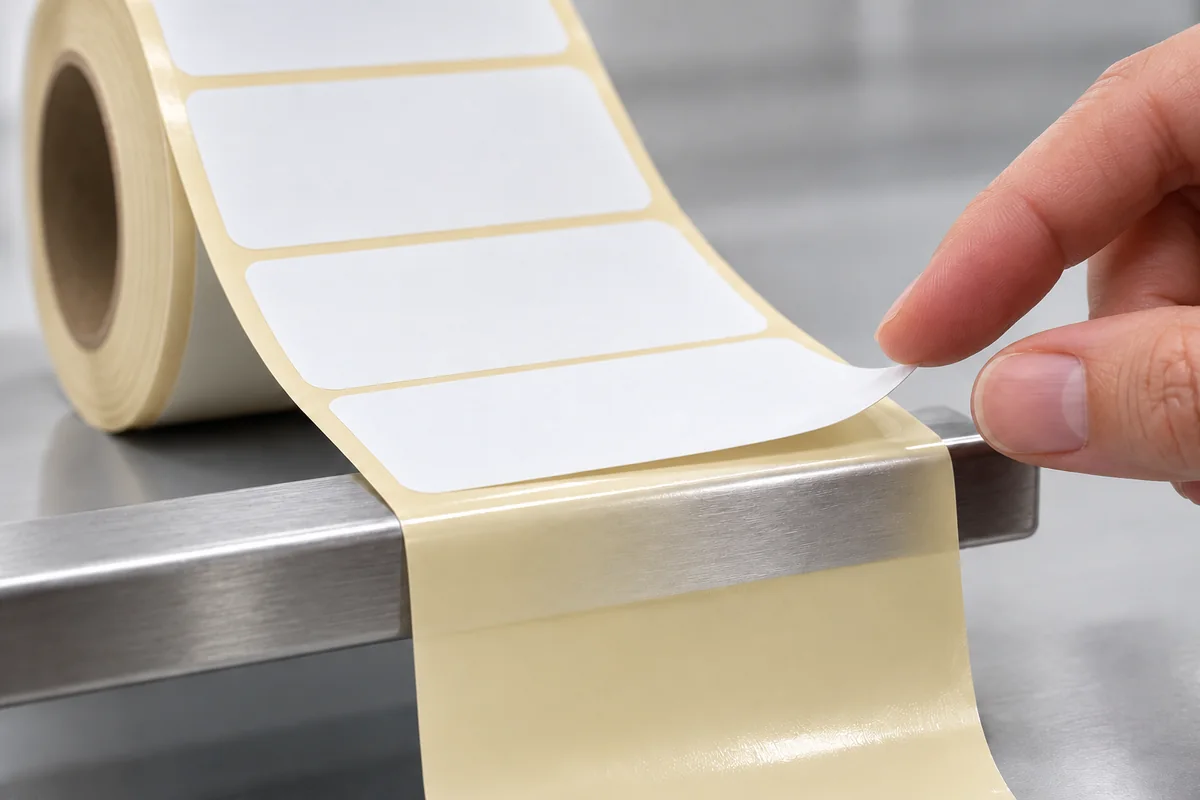
This is how it looks on a real sheet:
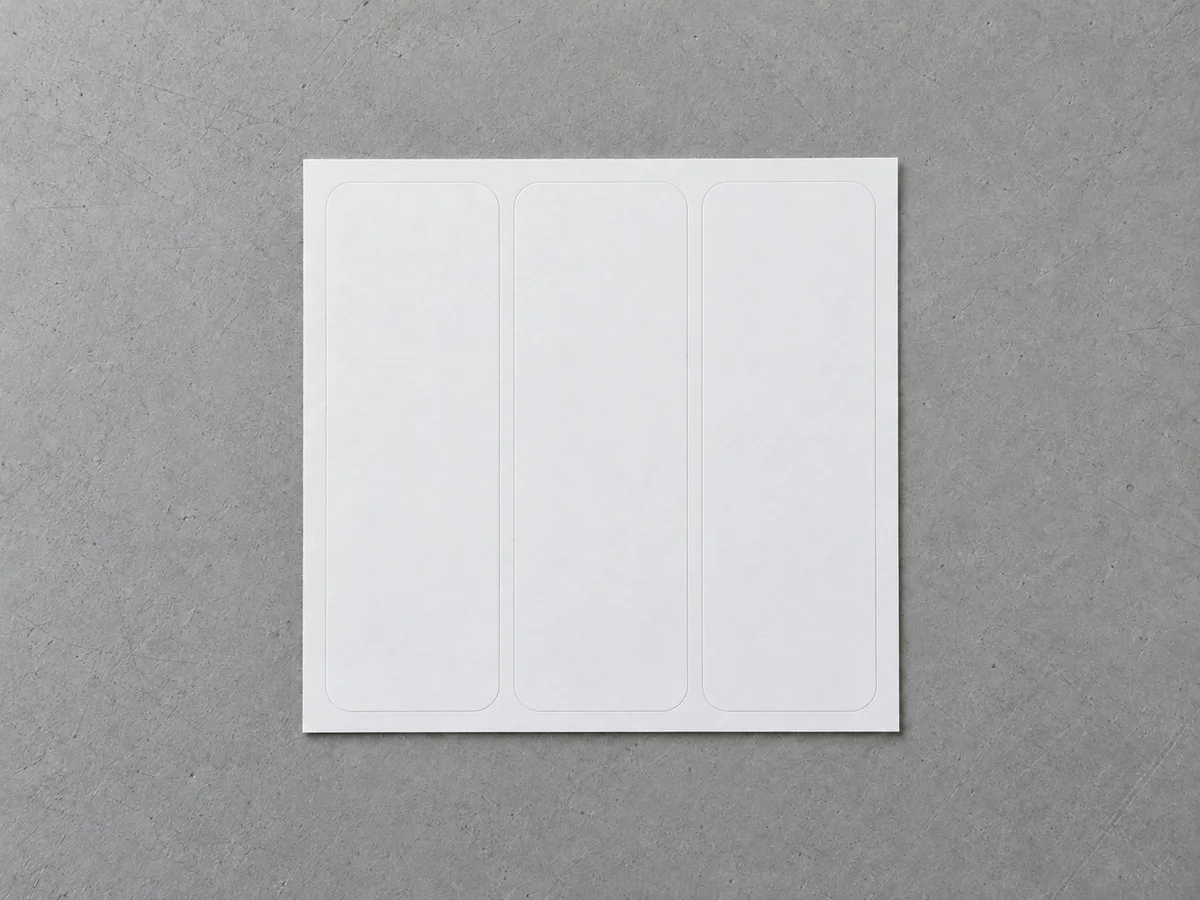
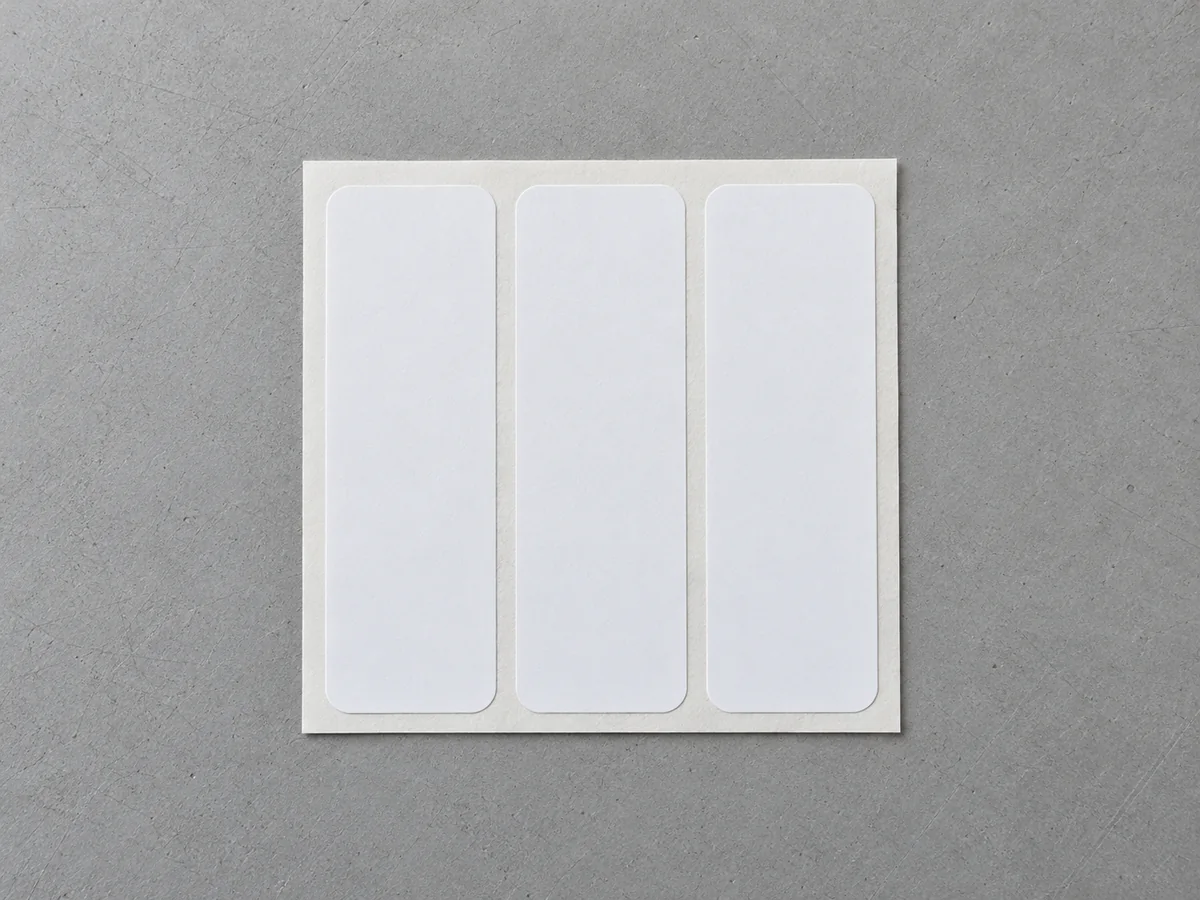
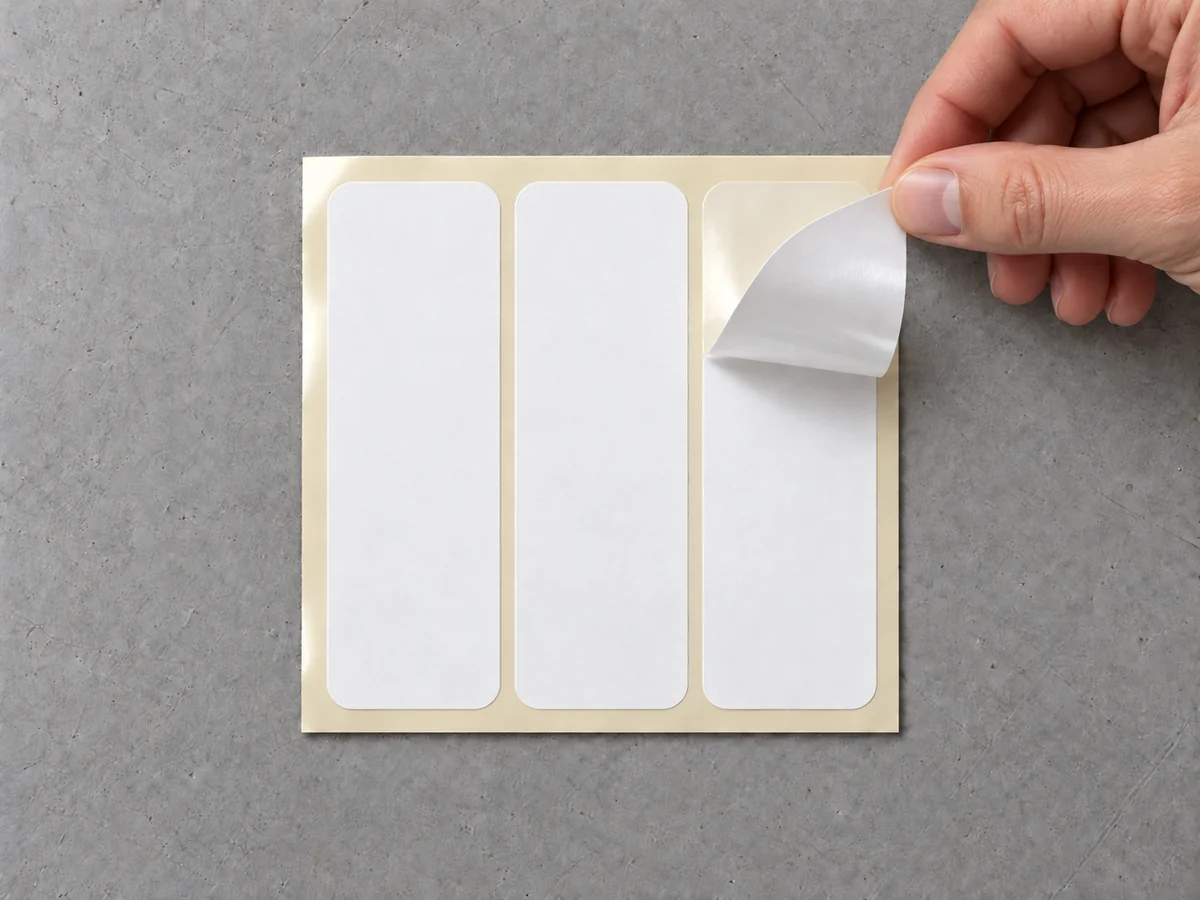
Around the label there is leftover face material, called the matrix. On rolls it is removed on the die-cutting machine itself, leaving a clean gap of backing between one label and the next. On sheets it can be removed or left as a frame, depending on the use.
A label that has not been die-cut, or that is die-cut right up to the edge of the backing, offers no point to start from. The die leaves a free edge, and that edge is the one you lift with your finger.
Labels on A4 and A5 sheets
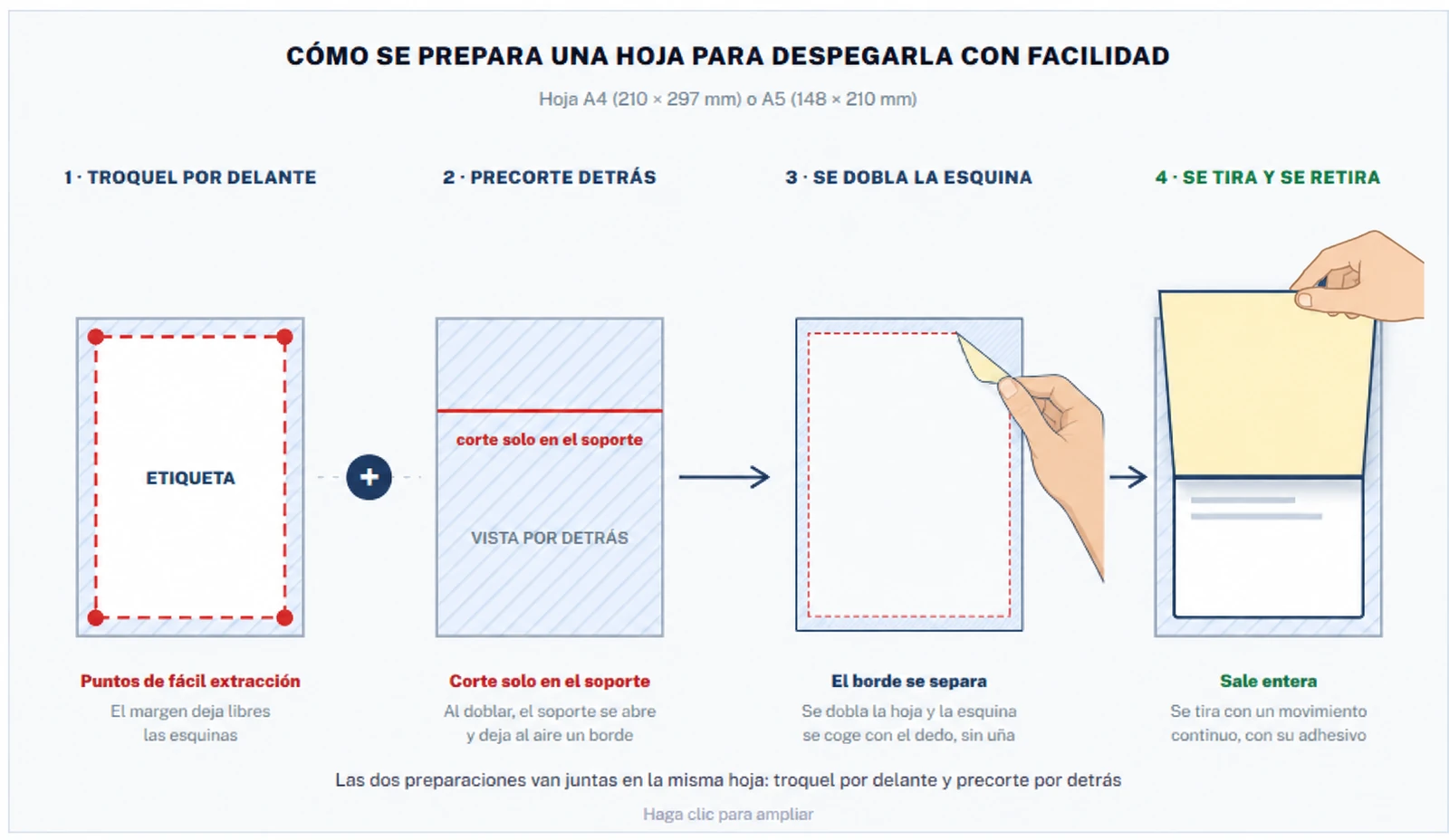
Sheets are used when the label is large, when it is printed on an office printer or when only a few units are applied by hand. To make them peel off easily, two cuts are combined: the die cut on the front and the backslit on the back.
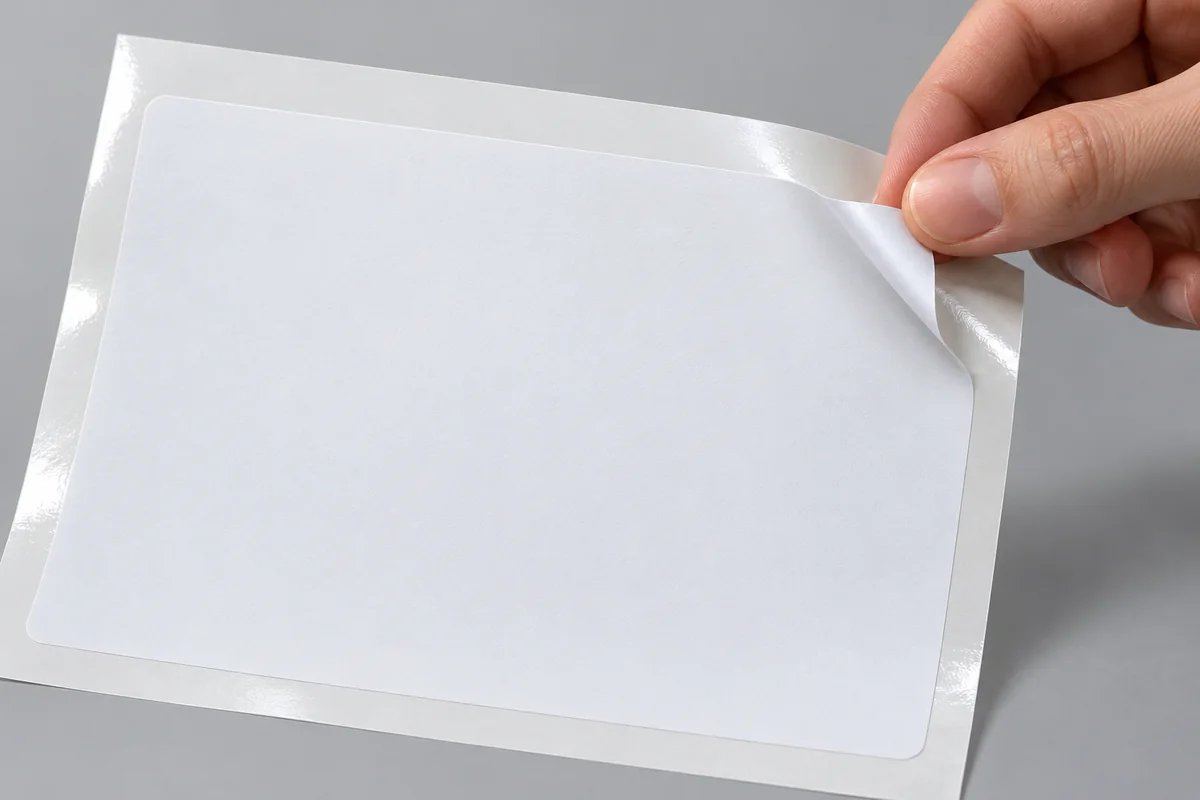
On the front: label die-cut inside the sheet
The label is die-cut a few millimetres smaller than the sheet, so that there is a margin of backing around it. At the corners are the easy-peel points: when the sheet is bent slightly, the edge of the label comes away from the backing and can be picked up with your fingers. If the sheet carries several labels, each one has its own outline and its own corners.
On the back: backslit in the backing
As well as the die cut, the backing has a cut on the back, along the sheet. This cut goes through the backing only, not the label. When the sheet is bent along that line, the backing opens and exposes another edge of the label to take hold of. With both cuts together, the label always has a starting point within reach, even on large labels and on thin materials that are hard to lift.
✓ How to peel it off
Bend the sheet slightly along the backslit line or next to a corner. The edge of the label comes away from the backing: hold it with your finger and pull in one continuous movement, without bending the label.
Labels on rolls
On rolls, the matrix is removed during die-cutting and the labels sit in a row on the backing, separated by a gap of about 2 or 3 mm. That gap is what the printer sensor detects to know where each label starts.
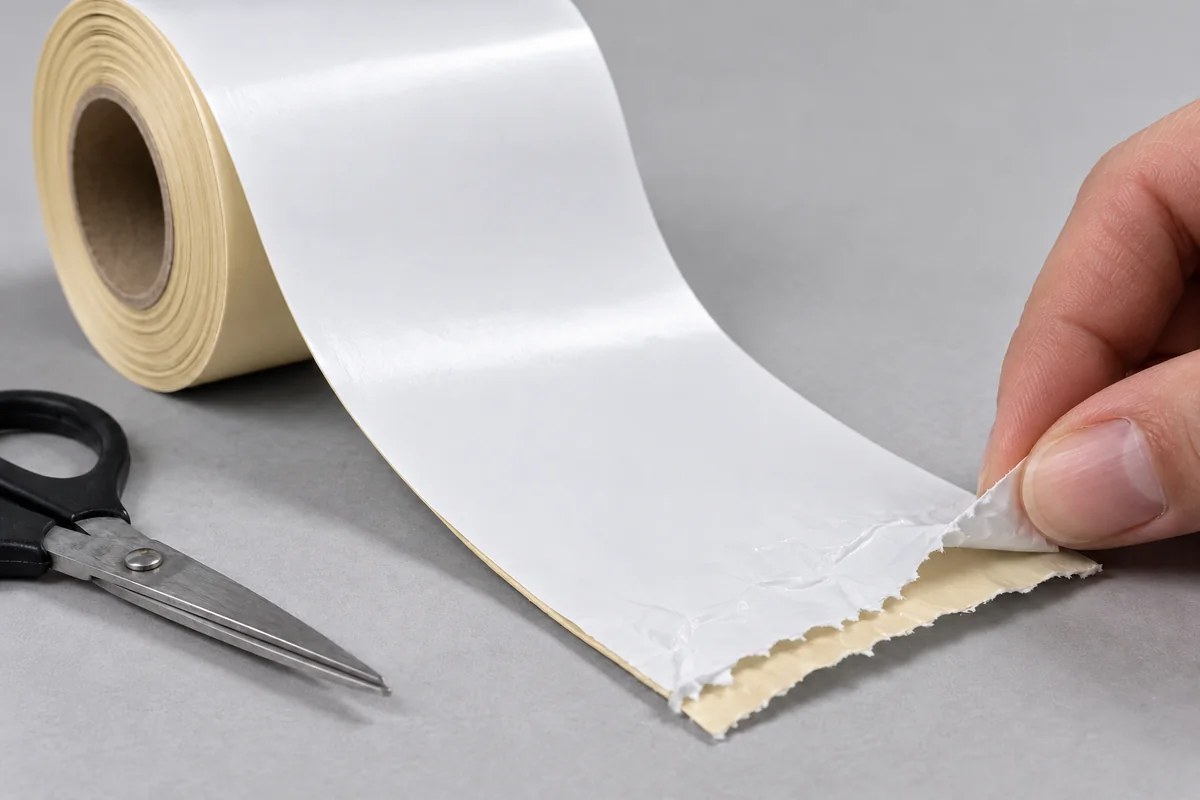
Peeling relies on a simple principle: the backing is flexible and the label is somewhat stiffer. In a printer with a peeler or in an automatic applicator, the backing passes over a bar or an edge and is bent back at a very sharp angle. The label does not follow that curve: it carries on straight and its leading edge comes away from the paper, so it can be picked up and removed easily.
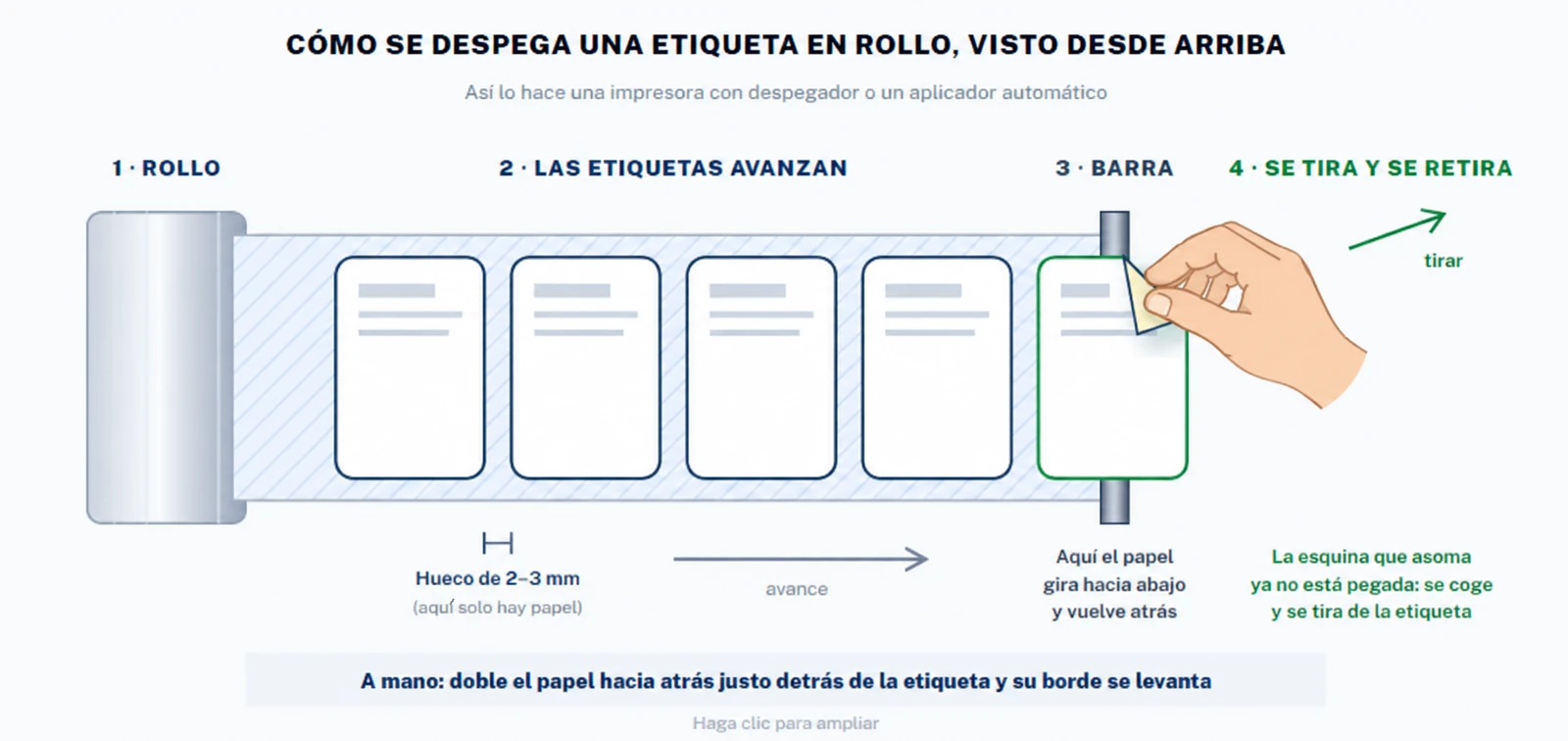
If the labels are applied by hand, the movement is the same: you bend the backing back just behind the label and its leading edge lifts. The sharper the bend, the easier it comes off.
Why they are sometimes hard to peel
- Very small or very thin labels. They have little stiffness and follow the curve of the backing instead of coming away. A slightly thicker film, or a lower application speed, improves this.
- Square corners on labels that are dispensed. Rounded corners pass through the peeler better and, once applied, are less likely to lift.
- Cold or damp in the warehouse. The adhesive behaves differently with temperature. Rolls and sheets are best stored in a dry, temperate place and left to reach room temperature before use.
Are your labels hard to peel off? Tell us the format and how you apply them.
Ask with no obligationWhat to tell us when ordering the labels
With these details we prepare the sheet or the roll so that the label peels off easily in your actual use:
- Format: A4 sheet, A5 or another size, or roll, and how many labels go on each sheet or each roll.
- Dimensions and shape of the label, and whether the corners are square or rounded.
- On sheets: whether the label takes up the whole sheet or has a margin, whether the matrix is removed and whether a backslit is needed in the backing.
- How it is applied: by hand, with a dispenser or with an automatic applicator.
- Where the label goes and what it has to withstand, to choose the material and the adhesive. The guide to choosing the material and the adhesives guide will help you decide.
Summary
A self-adhesive label has three layers: the face material, the adhesive and the silicone-coated backing. The silicone lets the label peel off cleanly, and the die cuts the face material and the adhesive without cutting the backing, so the label is left with a free edge to lift it by.
On A4 and A5 sheets, that edge is obtained by die-cutting the label inside a margin, with easy-peel points at the corners, and with a backslit in the backing on the back. On rolls, the matrix is removed and the label peels off when the backing is bent over an edge, by hand or on the machine.
If you tell us the format and how you apply the labels, we will prepare the right die so that peeling them off is not a problem.
Frequently asked questions
What is the silicone-coated backing of a self-adhesive label?
It is the paper or film the label comes on, also called the liner. It has a silicone coating on the side that touches the adhesive: the silicone stops the adhesive from bonding fully and lets the label peel off cleanly, with all its adhesive, when it is applied.
What does the die cut on a label?
In standard die-cutting, called kiss cutting, the blade cuts through the face material and the adhesive and stops at the silicone, without cutting the backing. The label keeps its shape, separated from the rest of the material, and the backing stays intact.
How do you peel a label off an A4 or A5 sheet easily?
The label is die-cut inside the sheet leaving a margin, and at the corners there are points where the edge of the label lifts with a finger when the sheet is bent slightly. The backing also has a backslit: when the sheet is bent along that line, the backing opens and leaves another edge of the label free.
What is the matrix of a die-cut label?
It is the leftover face material around the labels after die-cutting. On rolls it is removed on the machine itself, leaving a gap of about 2 or 3 mm between one label and the next. On sheets it can be removed or left as a frame.
Why does a label on a roll peel off easily in the applicator?
Because the backing is bent at a very sharp angle over a bar or an edge, and the label, which is stiffer, does not follow the curve: it carries on straight and its edge comes away from the silicone, so the label can be removed easily. The same effect is achieved by hand by bending the backing back.